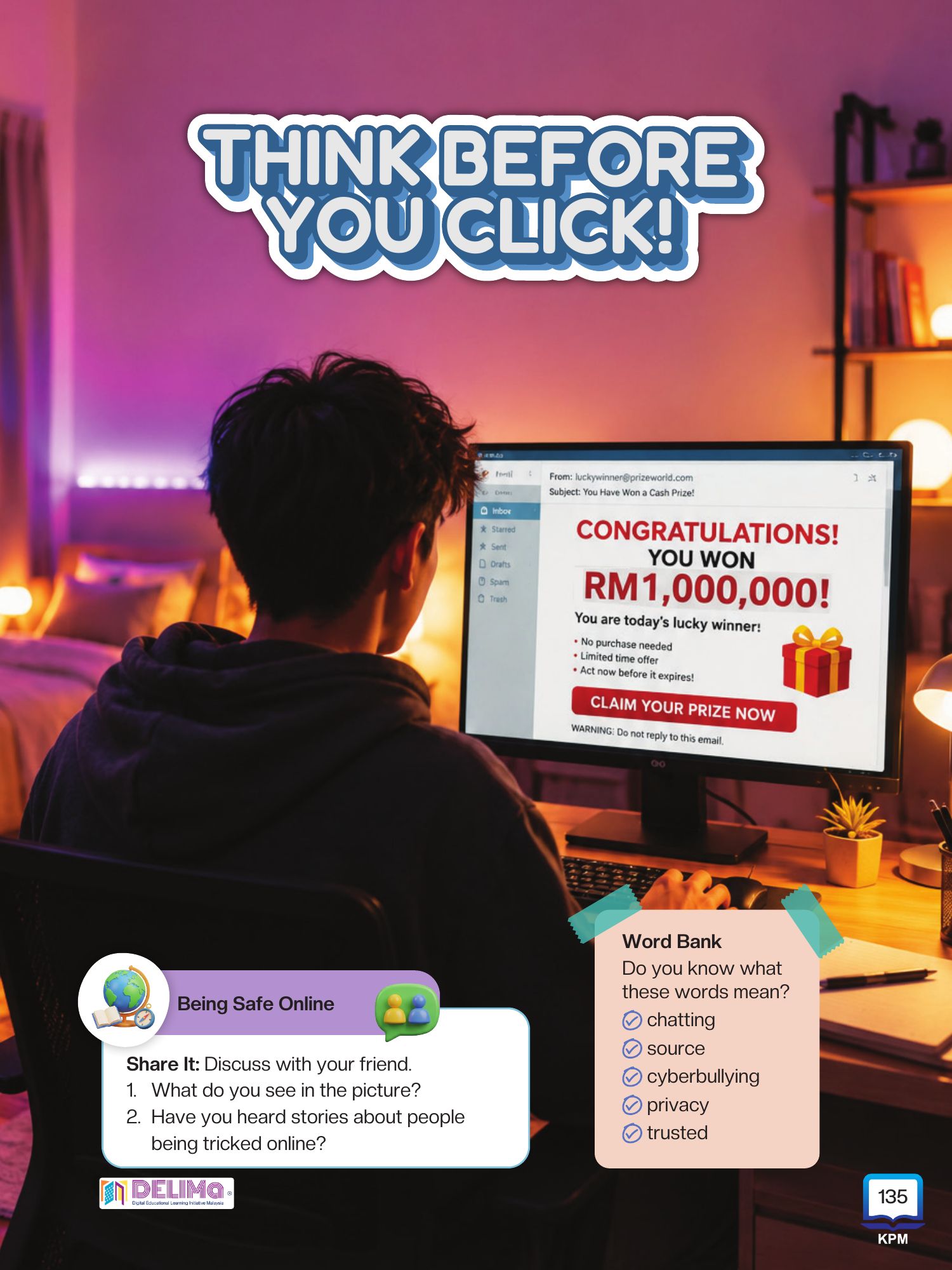
THINK BEFORE
YOU CLICK!
Being Safe Online
Share It: Discuss with your friend.
1. What do you see in the picture?
2. Have you heard stories about people
being tricked online?
Word Bank
Do you know what
these words mean?
chatting
source
cyberbullying
privacy
trusted
135
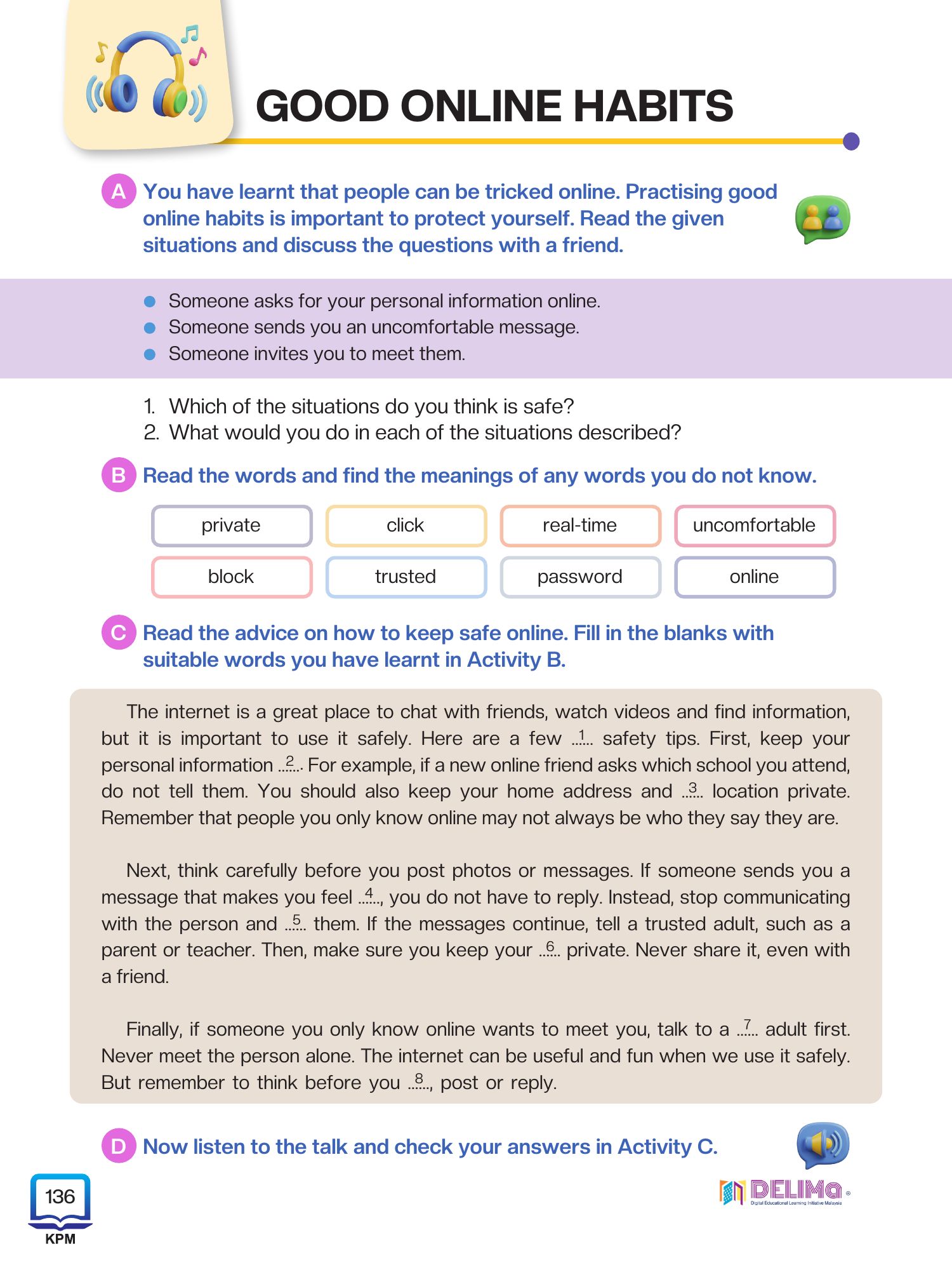
GOOD ONLINE HABITS
A You have learnt that people can be tricked online. Practising good
online habits is important to protect yourself. Read the given
situations and discuss the questions with a friend.
Someone asks for your personal information online.
Someone sends you an uncomfortable message.
Someone invites you to meet them.
1. Which of the situations do you think is safe?
2. What would you do in each of the situations described?
B Read the words and find the meanings of any words you do not know.
private
click
real-time
uncomfortable
block
trusted
password
online
C Read the advice on how to keep safe online. Fill in the blanks with
suitable words you have learnt in Activity B.
The internet is a great place to chat with friends, watch videos and find information,
1 safety tips. First, keep your
but it is important to use it safely. Here are a few ......
2 . For example, if a new online friend asks which school you attend,
personal information ......
3 location private.
do not tell them. You should also keep your home address and ......
Remember that people you only know online may not always be who they say they are.
Next, think carefully before you post photos or messages. If someone sends you a
4 you do not have to reply. Instead, stop communicating
message that makes you feel ......,
5 them. If the messages continue, tell a trusted adult, such as a
with the person and ......
6 private. Never share it, even with
parent or teacher. Then, make sure you keep your ......
a friend.
7 adult first.
Finally, if someone you only know online wants to meet you, talk to a ......
Never meet the person alone. The internet can be useful and fun when we use it safely.
8 post or reply.
But remember to think before you ......,
D Now listen to the talk and check your answers in Activity C.
136
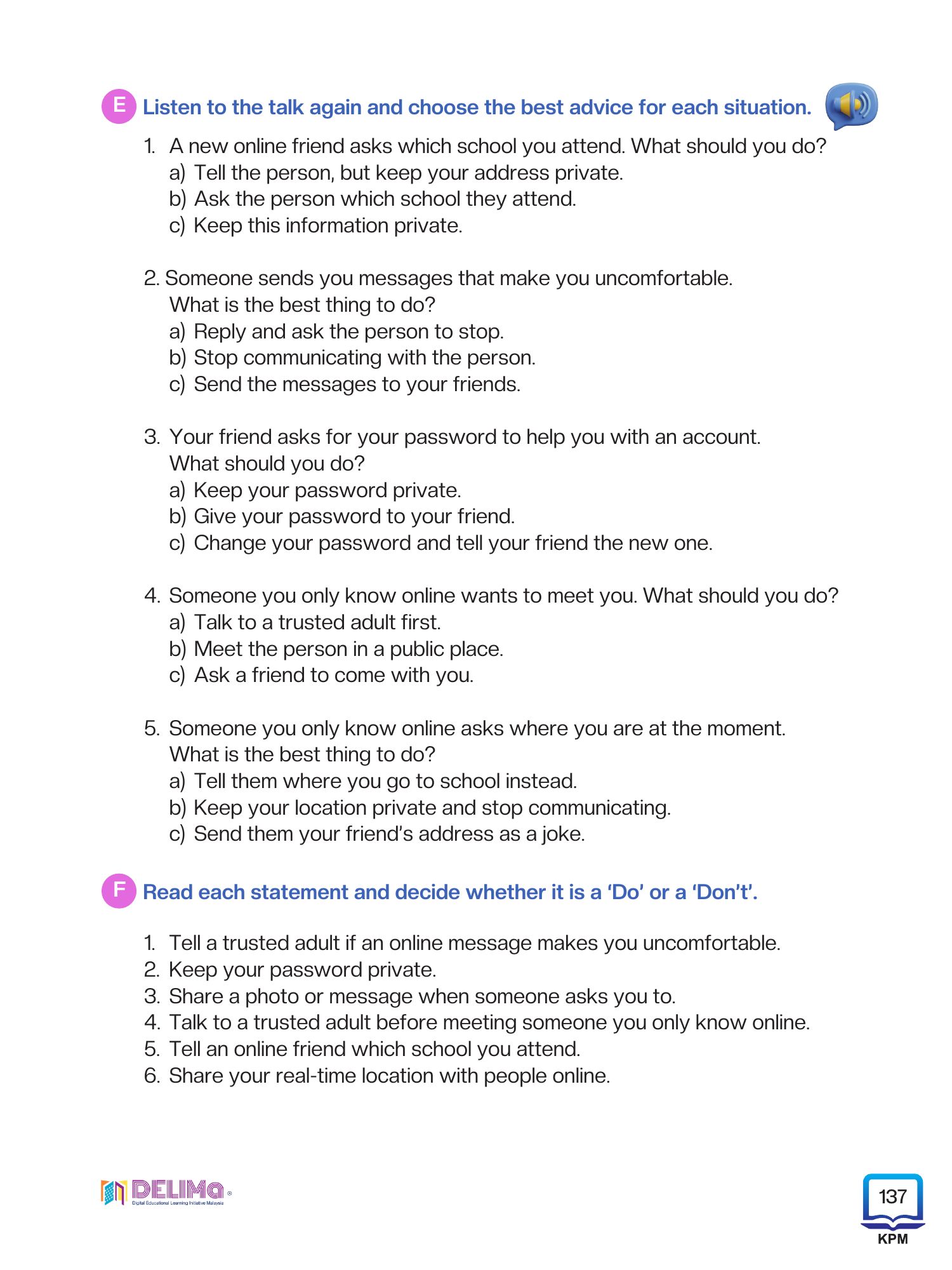
E Listen to the talk again and choose the best advice for each situation.
1. A new online friend asks which school you attend. What should you do?
a) Tell the person, but keep your address private.
b) Ask the person which school they attend.
c) Keep this information private.
2. Someone sends you messages that make you uncomfortable.
What is the best thing to do?
a) Reply and ask the person to stop.
b) Stop communicating with the person.
c) Send the messages to your friends.
3. Your friend asks for your password to help you with an account.
What should you do?
a) Keep your password private.
b) Give your password to your friend.
c) Change your password and tell your friend the new one.
4. Someone you only know online wants to meet you. What should you do?
a) Talk to a trusted adult first.
b) Meet the person in a public place.
c) Ask a friend to come with you.
5. Someone you only know online asks where you are at the moment.
What is the best thing to do?
a) Tell them where you go to school instead.
b) Keep your location private and stop communicating.
c) Send them your friend’s address as a joke.
F Read each statement and decide whether it is a ‘Do’ or a ‘Don’t’.
1. Tell a trusted adult if an online message makes you uncomfortable.
2. Keep your password private.
3. Share a photo or message when someone asks you to.
4. Talk to a trusted adult before meeting someone you only know online.
5. Tell an online friend which school you attend.
6. Share your real-time location with people online.
137
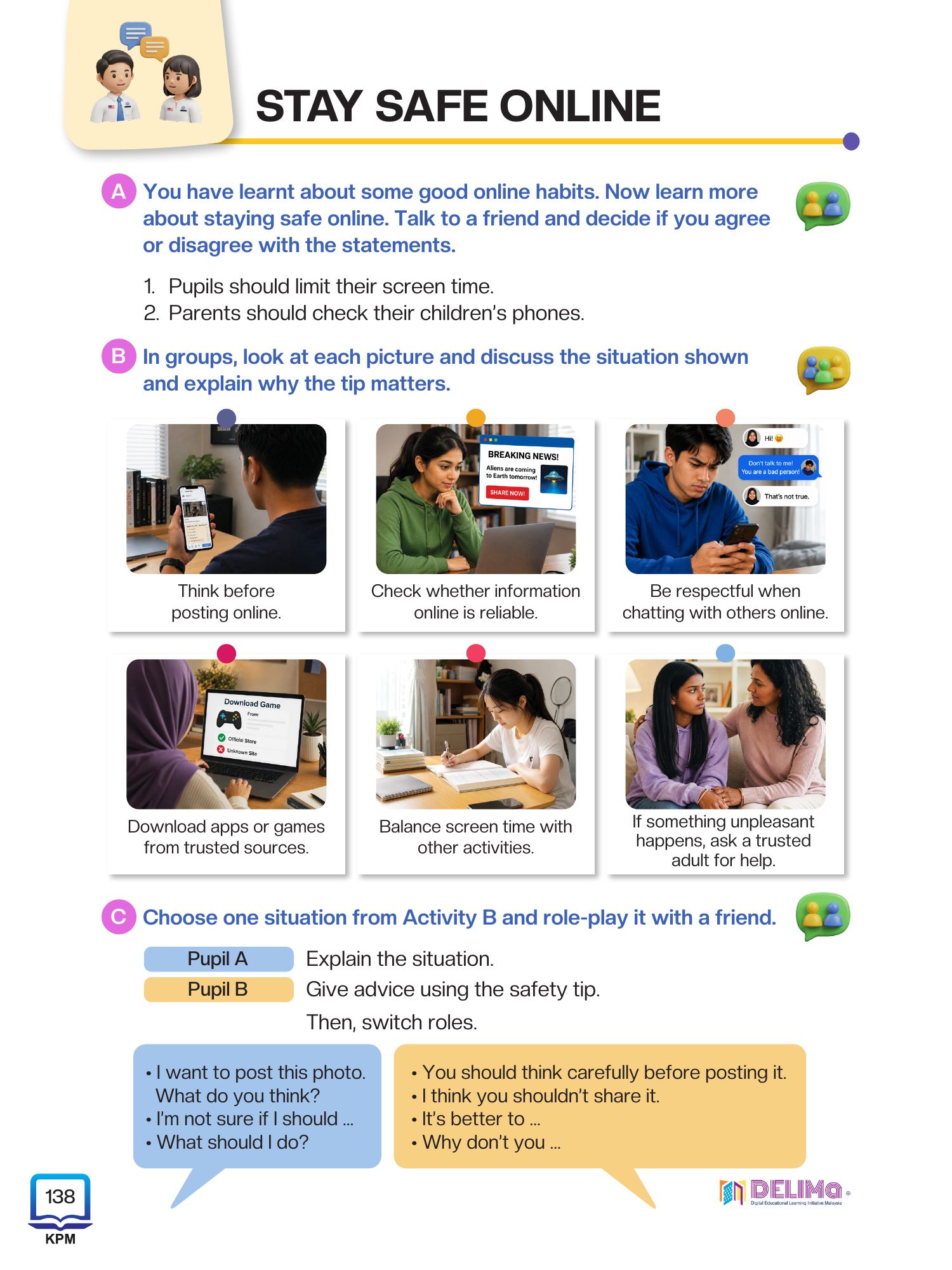
STAY SAFE ONLINE
A You have learnt about some good online habits. Now learn more
about staying safe online. Talk to a friend and decide if you agree
or disagree with the statements.
1. Pupils should limit their screen time.
2. Parents should check their children’s phones.
B In groups, look at each picture and discuss the situation shown
and explain why the tip matters.
Think before
posting online.
Check whether information
online is reliable.
Be respectful when
chatting with others online.
Download apps or games
from trusted sources.
Balance screen time with
other activities.
If something unpleasant
happens, ask a trusted
adult for help.
C Choose one situation from Activity B and role-play it with a friend.
Pupil A
Pupil B
Explain the situation.
Give advice using the safety tip.
Then, switch roles.
• I want to post this photo.
What do you think?
• I’m not sure if I should …
• What should I do?
138
• You should think carefully before posting it.
• I think you shouldn’t share it.
• It’s better to …
• Why don’t you …
D Using one of the situations from Activity B,
prepare a talk on online safety.
My Speaking Plan
Opening
What is your situation about?
Point 1
What is the problem?
Point 2
What advice would you give?
Point 3
Why is this advice important?
What should people do
or remember?
Closing
Check your talk:
I introduced the situation clearly.
I gave useful advice.
I explained why the advice is important.
I used complete sentences.
LANGUAGE HELP
Giving advice with imperatives:
We use imperatives to give
advice, instructions or warnings.
Check the information before
sharing it.
Think before you post.
Ask a trusted adult for help.
Don’t share your password.
Don’t post photos without
thinking first.
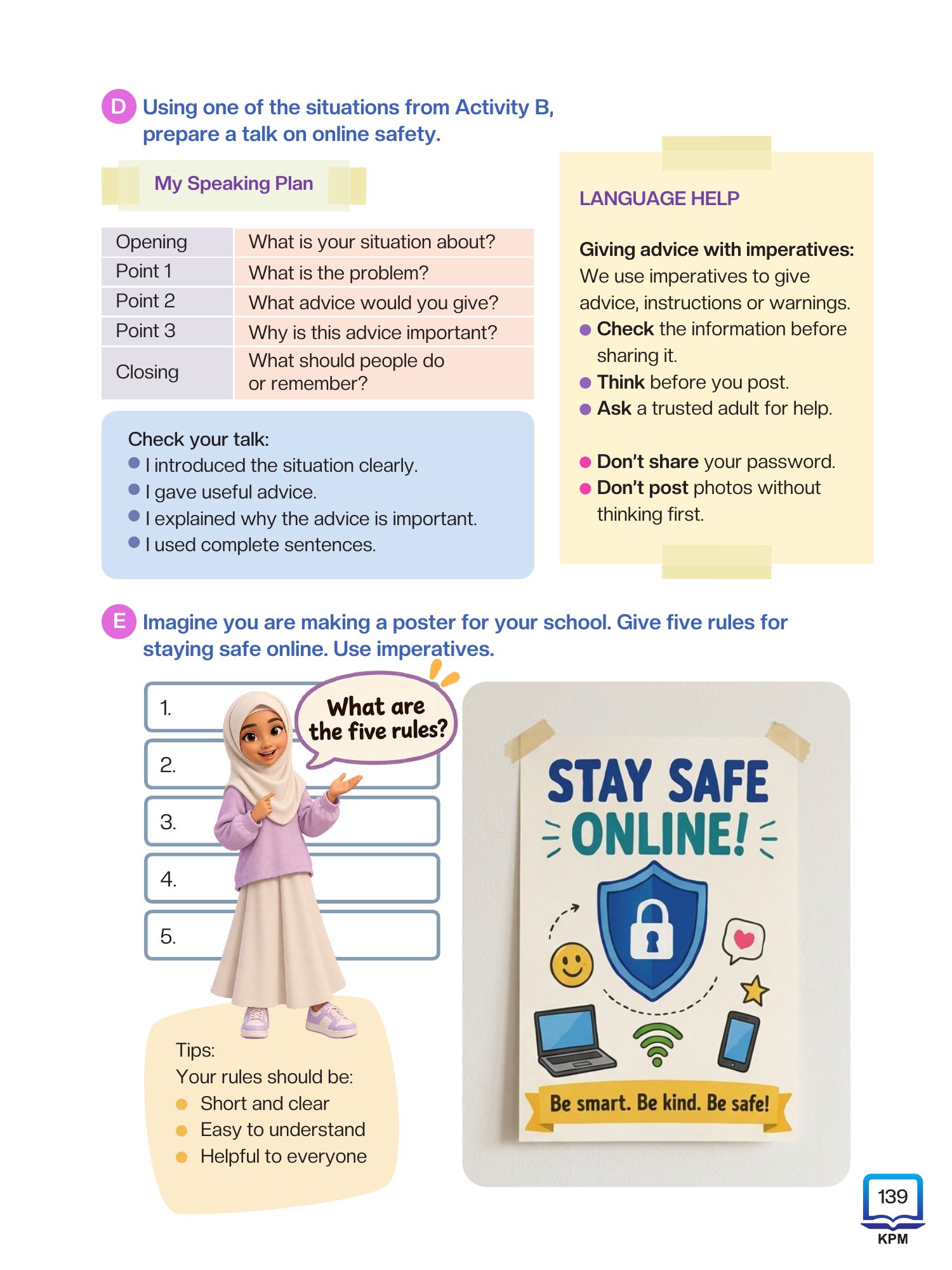
E Imagine you are making a poster for your school. Give five rules for
staying safe online. Use imperatives.
1.
2.
3.
4.
5.
Tips:
Your rules should be:
Short and clear
Easy to understand
Helpful to everyone
139
DIGITAL RESPONSIBILITY
READING TEXT 1
A Now that you know how to stay safe online, let’s learn about
artificial intelligence (AI). With a friend, read the statements and
choose the ones you think are true.
WHAT IS AI?
Artificial intelligence (AI) is a type of technology
that helps computers do tasks that usually require
human thinking. For example, some AI tools can
answer questions, give ideas or create pictures.
AI can help us solve problems.
AI can help us understand
new things.
AI always gives correct information.
B Read the news article about a school campaign on using AI safely
and wisely.
TECH WORLD DAILY
HOME | SCIENCE | TECHNOLOGY | EDUCATION | DIGITAL | OPINION | VIDEOS
School Launches Campaign to
Teach Pupils About AI
By Najah Ismail | 15 August
KUALA LUMPUR, Friday: Sekolah Menengah Kebangsaan Seri Wawasan has launched a campaign
to teach pupils how to use artificial intelligence (AI) safely and wisely. The campaign is being held
this week to help pupils understand how AI can be useful and why they need to be careful when
using it.
During the campaign, pupils learnt how AI can help with their schoolwork. They used an AI tool to
get ideas for a science project and asked it to explain a difficult topic. The pupils found that AI could
give them useful ideas and information quickly.
However, they also discovered that AI can make mistakes. In one activity, an AI tool gave an
incorrect answer to a science question. The pupils checked the answer in their science textbook
and on a reliable website, and found the mistake.
“AI can be useful, but we should not believe everything it tells us.”
_ Ms Tan, English teacher
The campaign also reminded pupils not to share personal information, such as passwords, phone
numbers or home addresses, with AI tools. They were also told to use their own ideas instead of
copying AI-generated answers.
“Now I know that AI can help me, but I still need to think for myself.”
_ Aiman, Form 1 pupil
The school hopes the campaign will help pupils become more careful and responsible technology
users. By learning about the benefits and risks of AI, pupils can make better decisions about how
they use the technology for learning and other activities.
140
C Number the ideas from 1 to 4 in the order they are discussed in
the news article.
Pupils discover that AI is not always reliable.
The school starts a campaign about using AI.
Pupils learn how AI can support their studies.
Pupils learn about being safe and responsible when using AI.
D Answer the questions based on the news article.
1. How did the pupils use AI to help with their schoolwork?
2. What did the pupils discover about AI?
3. What did the pupils use to check the AI’s answer?
4. What personal information should pupils not share with AI tools?
Give two examples.
5. What did Aiman learn from the campaign?
E Find words in the article that have the opposite meanings to
the words below.
1. useless
2. careless
4. correct
3. easy
5. worse
F Read the situations. What should you do? Choose the best answer.
1. You ask an AI tool for information about a place you want to visit.
It gives you some information, but you are not sure if it is correct.
a) Use the information without checking it.
b) Check the information using a more reliable source.
c) Check the information with another AI tool before using it.
2. An AI tool gives you factual information for your science project.
What should you do?
a) Believe it immediately because AI is intelligent.
b) Change the topic of your project so you do not have to check it.
c) Check your textbook or a trusted website to see if it is accurate.
141
READING TEXT 2
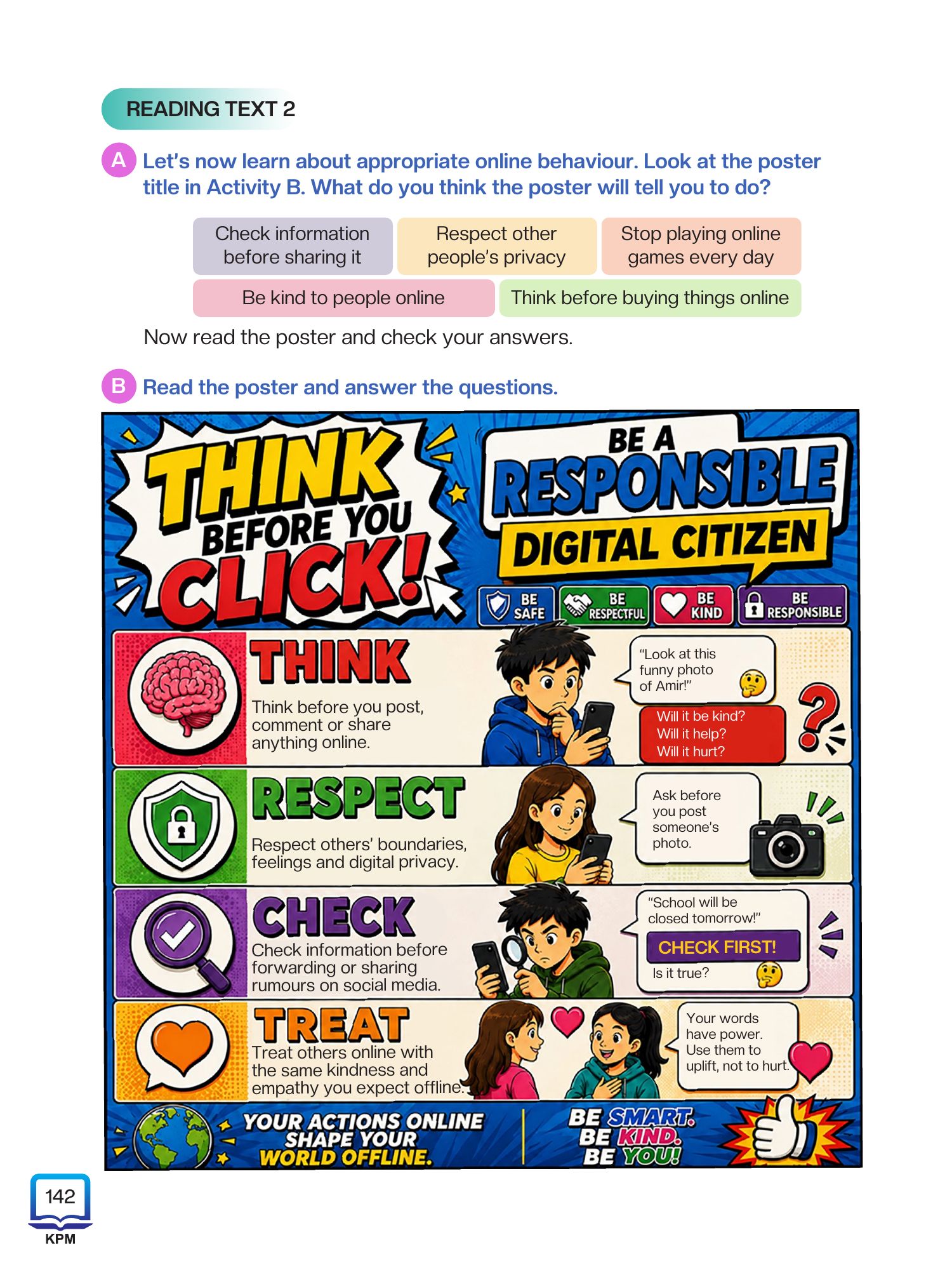
A Let’s now learn about appropriate online behaviour. Look at the poster
title in Activity B. What do you think the poster will tell you to do?
Check information
before sharing it
Respect other
people’s privacy
Be kind to people online
Stop playing online
games every day
Think before buying things online
Now read the poster and check your answers.
B Read the poster and answer the questions.
“Look at this
funny photo
of Amir!”
Think before you post,
comment or share
anything online.
Respect others’ boundaries,
feelings and digital privacy.
Will it be kind?
Will it help?
Will it hurt?
Ask before
you post
someone’s
photo.
“School will be
closed tomorrow!”
Check information before
forwarding or sharing
rumours on social media.
Treat others online with
the same kindness and
empathy you expect offline.
142
CHECK FIRST!
Is it true?
Your words
have power.
Use them to
uplift, not to hurt.
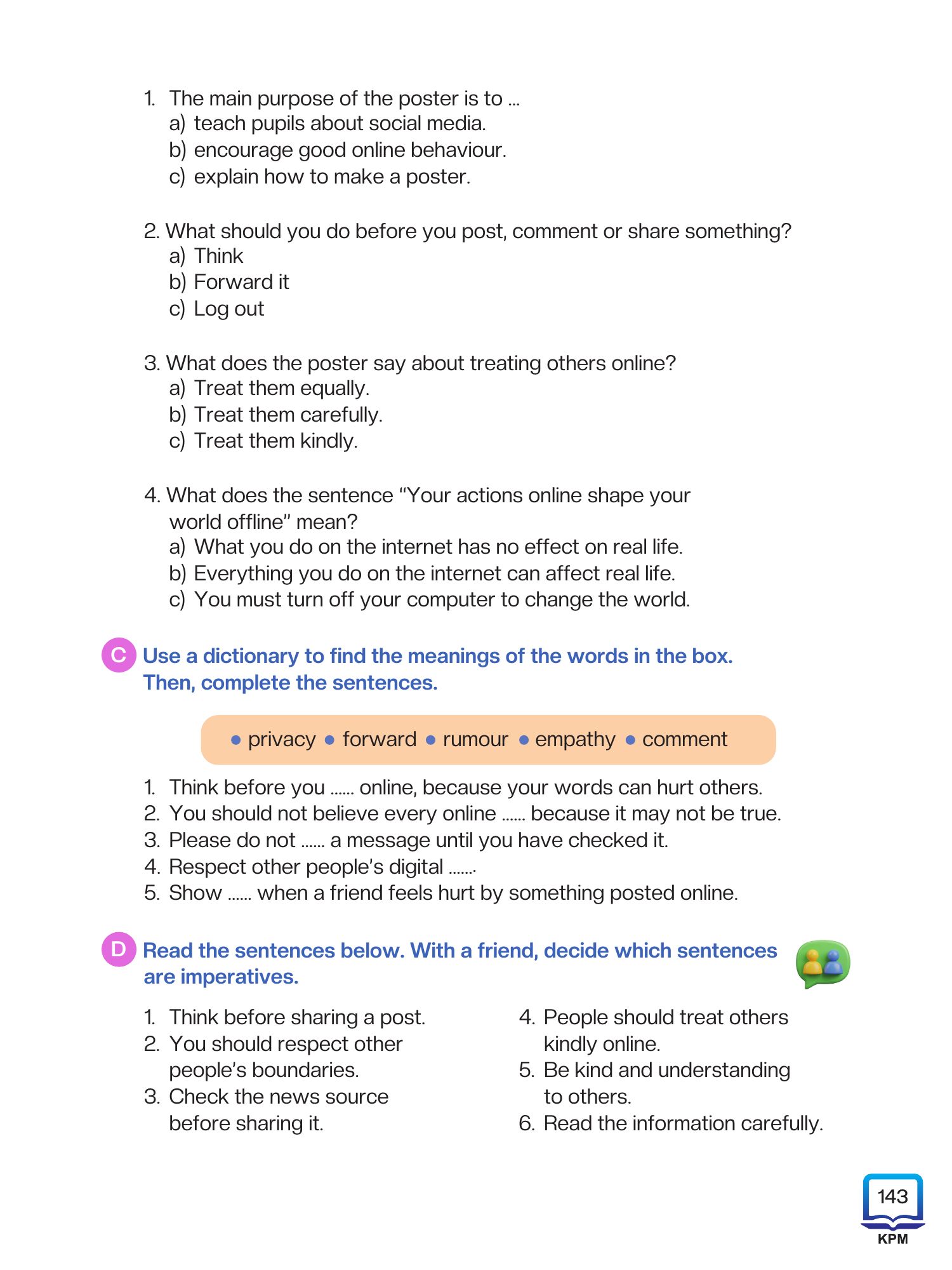
1. The main purpose of the poster is to …
a) teach pupils about social media.
b) encourage good online behaviour.
c) explain how to make a poster.
2. What should you do before you post, comment or share something?
a) Think
b) Forward it
c) Log out
3. What does the poster say about treating others online?
a) Treat them equally.
b) Treat them carefully.
c) Treat them kindly.
4. What does the sentence “Your actions online shape your
world offline” mean?
a) What you do on the internet has no effect on real life.
b) Everything you do on the internet can affect real life.
c) You must turn off your computer to change the world.
C Use a dictionary to find the meanings of the words in the box.
Then, complete the sentences.
privacy
forward
rumour
empathy
comment
1. Think before you …... online, because your words can hurt others.
2. You should not believe every online ...... because it may not be true.
3. Please do not …… a message until you have checked it.
4. Respect other people’s digital …….
5. Show …… when a friend feels hurt by something posted online.
D Read the sentences below. With a friend, decide which sentences
are imperatives.
1. Think before sharing a post.
2. You should respect other
people’s boundaries.
3. Check the news source
before sharing it.
4. People should treat others
kindly online.
5. Be kind and understanding
to others.
6. Read the information carefully.
143
THE ONLINE STRANGER
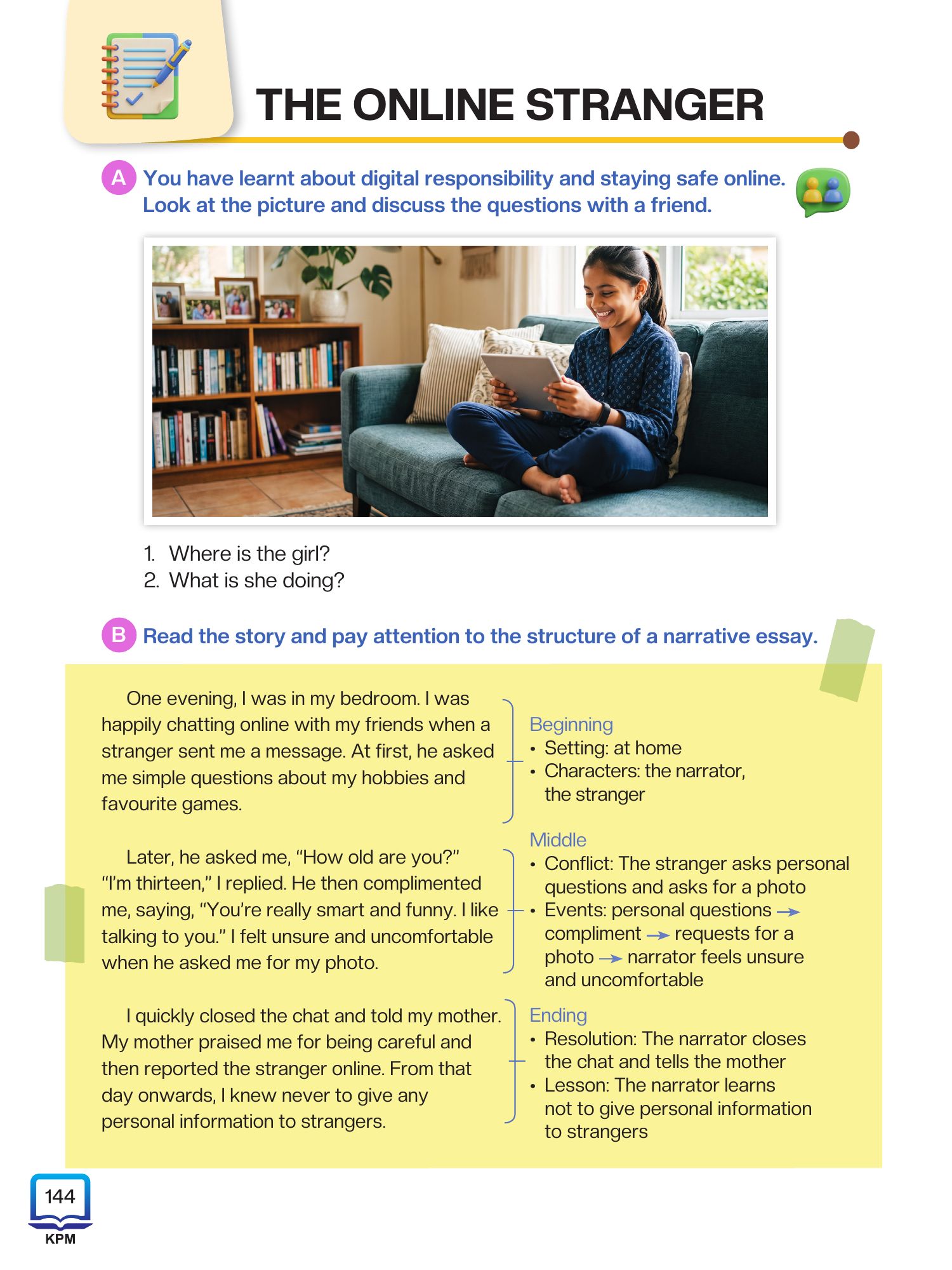
A You have learnt about digital responsibility and staying safe online.
Look at the picture and discuss the questions with a friend.
1. Where is the girl?
2. What is she doing?
B Read the story and pay attention to the structure of a narrative essay.
144
One evening, I was in my bedroom. I was
happily chatting online with my friends when a
stranger sent me a message. At first, he asked
me simple questions about my hobbies and
favourite games.
Beginning
• Setting: at home
• Characters: the narrator,
the stranger
Later, he asked me, “How old are you?”
“I’m thirteen,” I replied. He then complimented
me, saying, “You’re really smart and funny. I like
talking to you.” I felt unsure and uncomfortable
when he asked me for my photo.
Middle
• Conflict: The stranger asks personal
questions and asks for a photo
• Events: personal questions
compliment
requests for a
narrator feels unsure
photo
and uncomfortable
I quickly closed the chat and told my mother.
My mother praised me for being careful and
then reported the stranger online. From that
day onwards, I knew never to give any
personal information to strangers.
Ending
• Resolution: The narrator closes
the chat and tells the mother
• Lesson: The narrator learns
not to give personal information
to strangers
C Look back at the story in Activity B. Number the events in the
correct order.
The stranger asked the narrator for a photo.
The narrator learnt not to give personal information to strangers.
A stranger sent the narrator a message.
The narrator ended the chat and told her mother.
The narrator chatted online with friends.
The stranger asked the narrator some personal questions.
The mother reported the stranger.
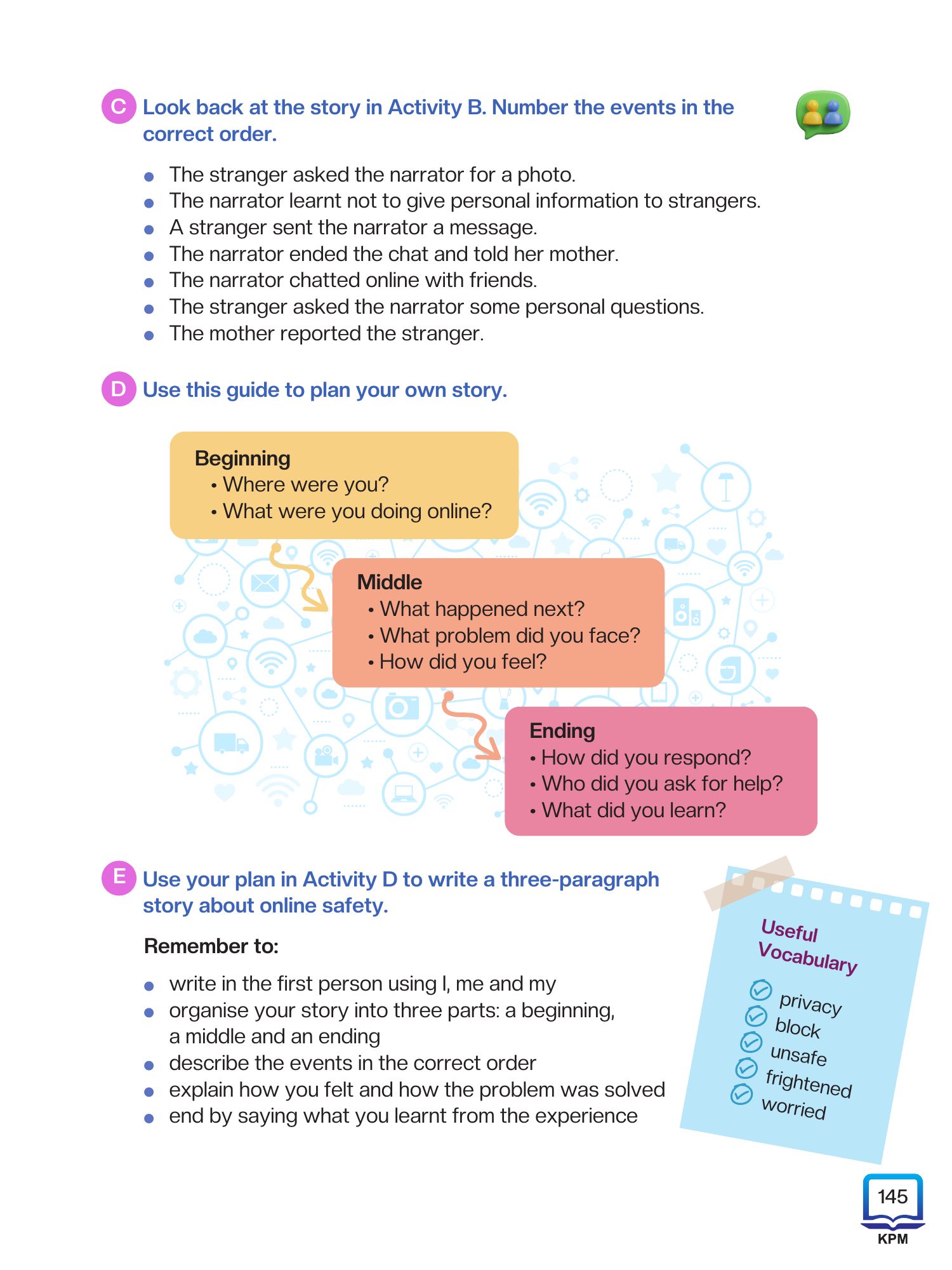
D Use this guide to plan your own story.
Beginning
• Where were you?
• What were you doing online?
Middle
• What happened next?
BACKGROUND
• What
problem did you face?
• How did you feel?
Ending
• How did you respond?
• Who did you ask for help?
• What did you learn?
E Use your plan in Activity D to write a three-paragraph
story about online safety.
Remember to:
write in the first person using I, me and my
organise your story into three parts: a beginning,
a middle and an ending
describe the events in the correct order
explain how you felt and how the problem was solved
end by saying what you learnt from the experience
Useful
Vocab
u
lary
privacy
block
unsafe
frighte
ned
worrie
d
145
CREATIVE MIX
A You learnt that people can be tricked when they trust others too easily.
Read the adapted folktale, Pak Pandir, and find out what happens.
Pak Pandir and the Lucky Message
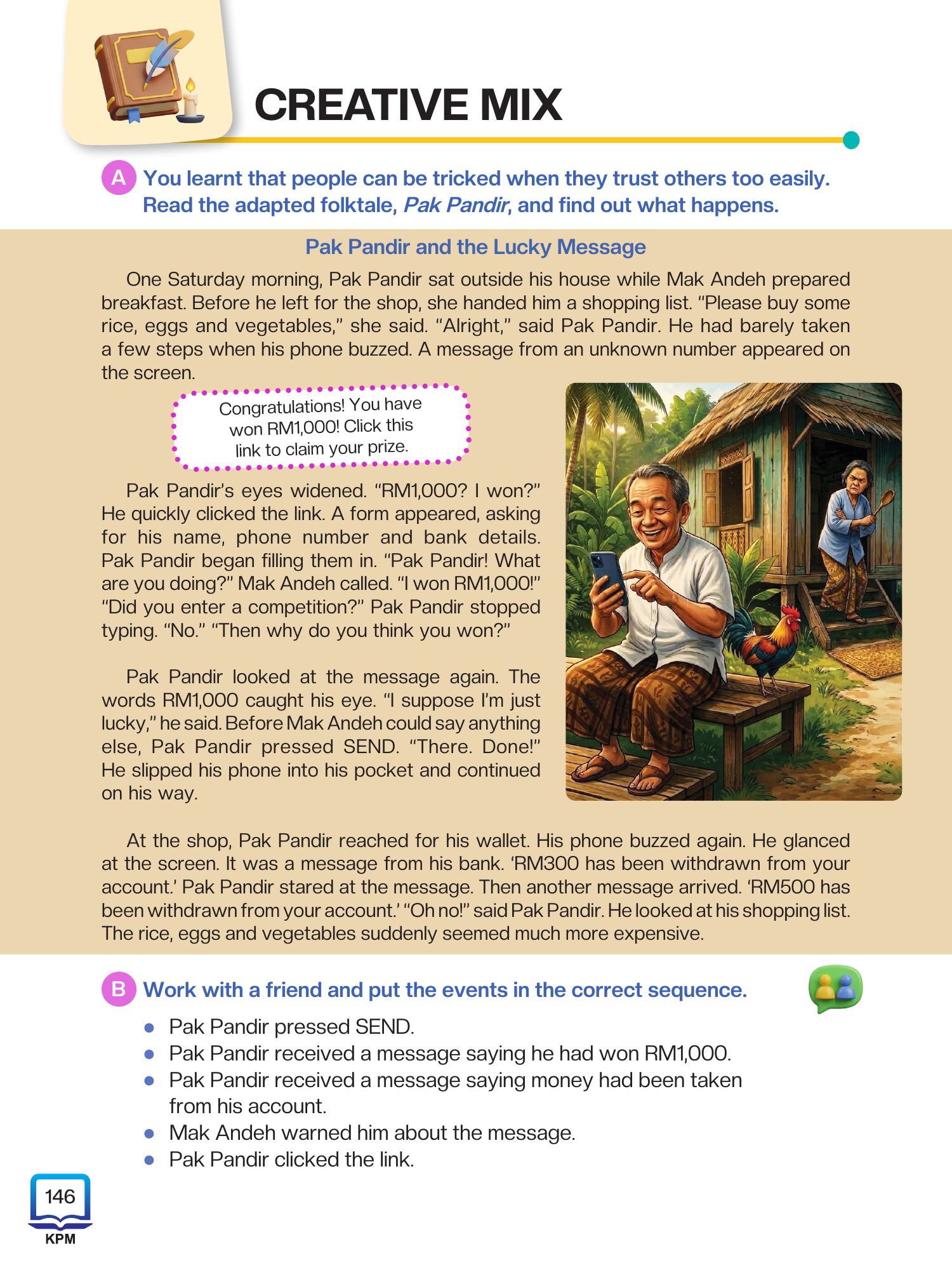
One Saturday morning, Pak Pandir sat outside his house while Mak Andeh prepared
breakfast. Before he left for the shop, she handed him a shopping list. “Please buy some
rice, eggs and vegetables,” she said. “Alright,” said Pak Pandir. He had barely taken
a few steps when his phone buzzed. A message from an unknown number appeared on
the screen.
Congratulations! You have
won RM1,000! Click this
link to claim your prize.
Pak Pandir’s eyes widened. “RM1,000? I won?”
He quickly clicked the link. A form appeared, asking
for his name, phone number and bank details.
Pak Pandir began filling them in. “Pak Pandir! What
are you doing?” Mak Andeh called. “I won RM1,000!”
“Did you enter a competition?” Pak Pandir stopped
typing. “No.” “Then why do you think you won?”
Pak Pandir looked at the message again. The
words RM1,000 caught his eye. “I suppose I’m just
lucky,” he said. Before Mak Andeh could say anything
else, Pak Pandir pressed SEND. “There. Done!”
He slipped his phone into his pocket and continued
on his way.
At the shop, Pak Pandir reached for his wallet. His phone buzzed again. He glanced
at the screen. It was a message from his bank. ‘RM300 has been withdrawn from your
account.’ Pak Pandir stared at the message. Then another message arrived. ‘RM500 has
been withdrawn from your account.’ “Oh no!” said Pak Pandir. He looked at his shopping list.
The rice, eggs and vegetables suddenly seemed much more expensive.
B Work with a friend and put the events in the correct sequence.
Pak Pandir pressed SEND.
Pak Pandir received a message saying he had won RM1,000.
Pak Pandir received a message saying money had been taken
from his account.
Mak Andeh warned him about the message.
Pak Pandir clicked the link.
146
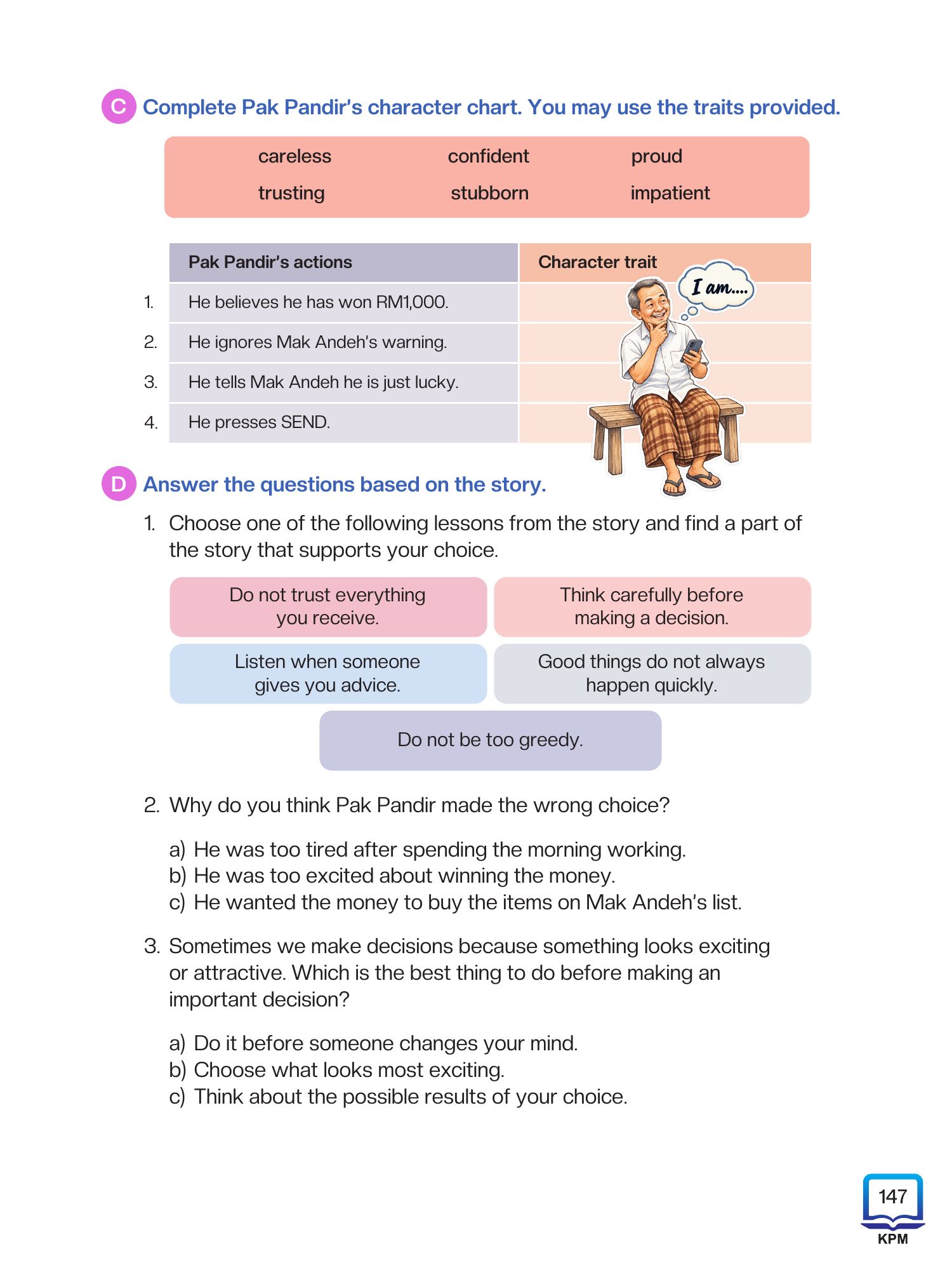
C Complete Pak Pandir’s character chart. You may use the traits provided.
careless
confident
proud
trusting
stubborn
impatient
Pak Pandir’s actions
Character trait
1.
He believes he has won RM1,000.
2.
He ignores Mak Andeh’s warning.
3.
He tells Mak Andeh he is just lucky.
4.
He presses SEND.
D Answer the questions based on the story.
1. Choose one of the following lessons from the story and find a part of
the story that supports your choice.
Do not trust everything
you receive.
Think carefully before
making a decision.
Listen when someone
gives you advice.
Good things do not always
happen quickly.
Do not be too greedy.
2. Why do you think Pak Pandir made the wrong choice?
a) He was too tired after spending the morning working.
b) He was too excited about winning the money.
c) He wanted the money to buy the items on Mak Andeh’s list.
3. Sometimes we make decisions because something looks exciting
or attractive. Which is the best thing to do before making an
important decision?
a) Do it before someone changes your mind.
b) Choose what looks most exciting.
c) Think about the possible results of your choice.
147
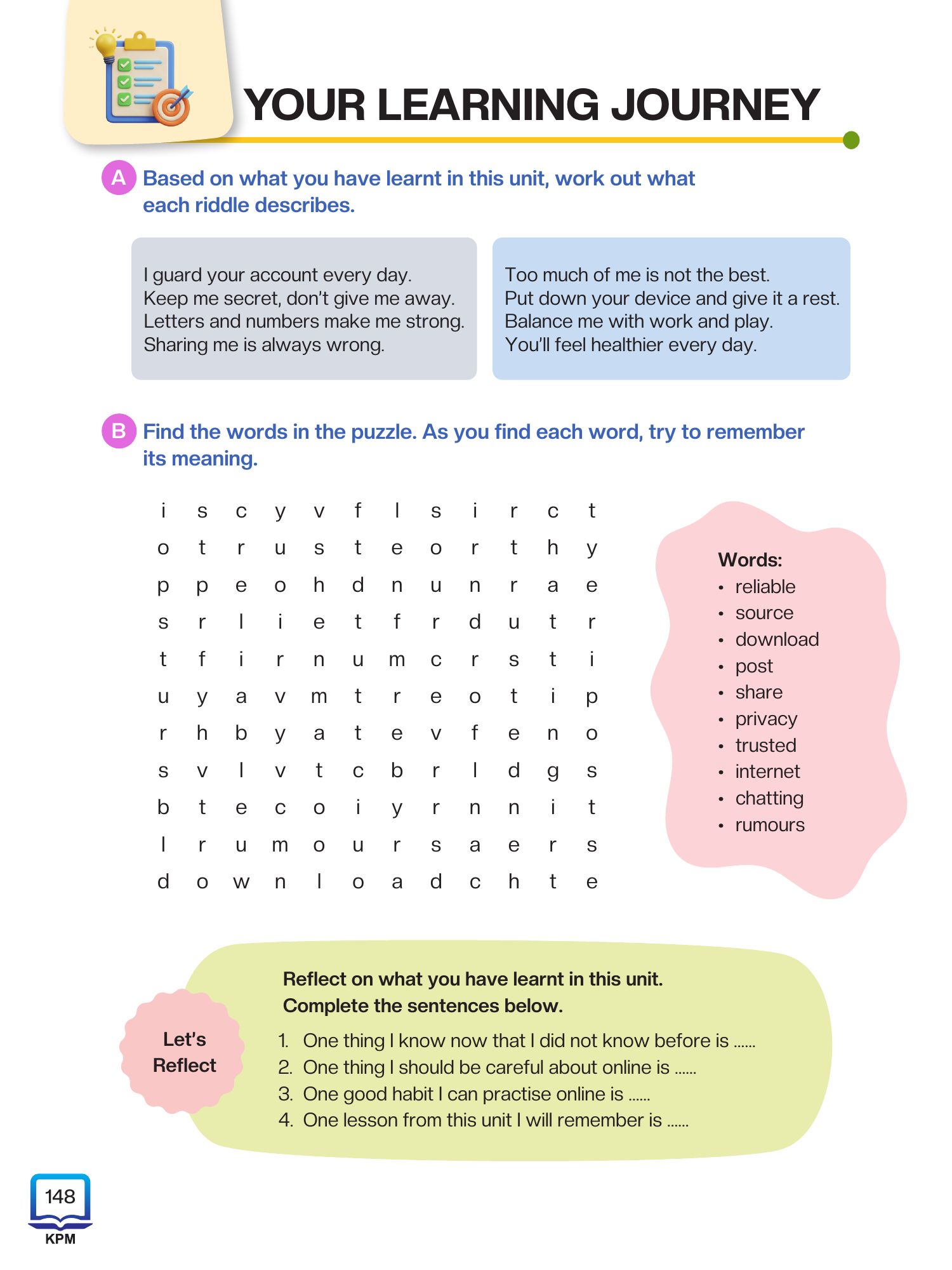
YOUR LEARNING JOURNEY
A Based on what you have learnt in this unit, work out what
each riddle describes.
I guard your account every day.
Keep me secret, don’t give me away.
Letters and numbers make me strong.
Sharing me is always wrong.
Too much of me is not the best.
Put down your device and give it a rest.
Balance me with work and play.
You’ll feel healthier every day.
B Find the words in the puzzle. As you find each word, try to remember
its meaning.
i
s
c
y
v
f
l
s
i
r
c
t
o
t
r
u
s
t
e
o
r
t
h
y
p
p
e
o
h
d
n
u
n
r
a
e
s
r
l
i
e
t
f
r
d
u
t
r
t
f
i
r
n
u
m
c
r
s
t
i
u
y
a
v
m
t
r
e
o
t
i
p
r
h
b
y
a
t
e
v
f
e
n
o
s
v
l
v
t
c
b
r
l
d
g
s
b
t
e
c
o
i
y
r
n
n
i
t
l
r
u
m
o
u
r
s
a
e
r
s
d
o
w
n
l
o
a
d
c
h
t
e
Words:
• reliable
• source
• download
• post
• share
• privacy
• trusted
• internet
• chatting
• rumours
Reflect on what you have learnt in this unit.
Complete the sentences below.
Let’s
Reflect
148
1. One thing I know now that I did not know before is ……
2. One thing I should be careful about online is ……
3. One good habit I can practise online is ……
4. One lesson from this unit I will remember is ……